Image to Link Converter & Image to URL Tool
Convert JPG, PNG, WebP, and GIF images into direct URLs and Markdown links in seconds with our free image to URL and image to link converter. Built for docs, blogs, GitHub, and team chats.
Three Steps to Get a Direct Image Link
Upload or paste an image, generate a direct URL, and copy it in the format you need.
Upload from clipboard or files
Paste screenshots, drag images, or choose files and generate links without leaving your writing flow.
Automatic optimization
Images are optimized to AVIF when possible so your links stay fast and lightweight.
Use your own storage
The desktop client is not available for download yet. Clipboard monitoring and custom storage are planned desktop features. Use the online uploader today.
Copy as Markdown or URL
Get ready-to-paste Markdown, URL, or BBCode output for docs, blogs, issues, and forums.
Popular searches
Start from the exact page that matches your upload task
If you came here looking for a direct image URL, a pure image-to-link converter, or a fast way to turn screenshots into Markdown-ready links, jump straight to the matching workflow.
Planned desktop features
The desktop client is not available for download yet. Clipboard monitoring and custom storage are planned desktop features. Use the online uploader today.
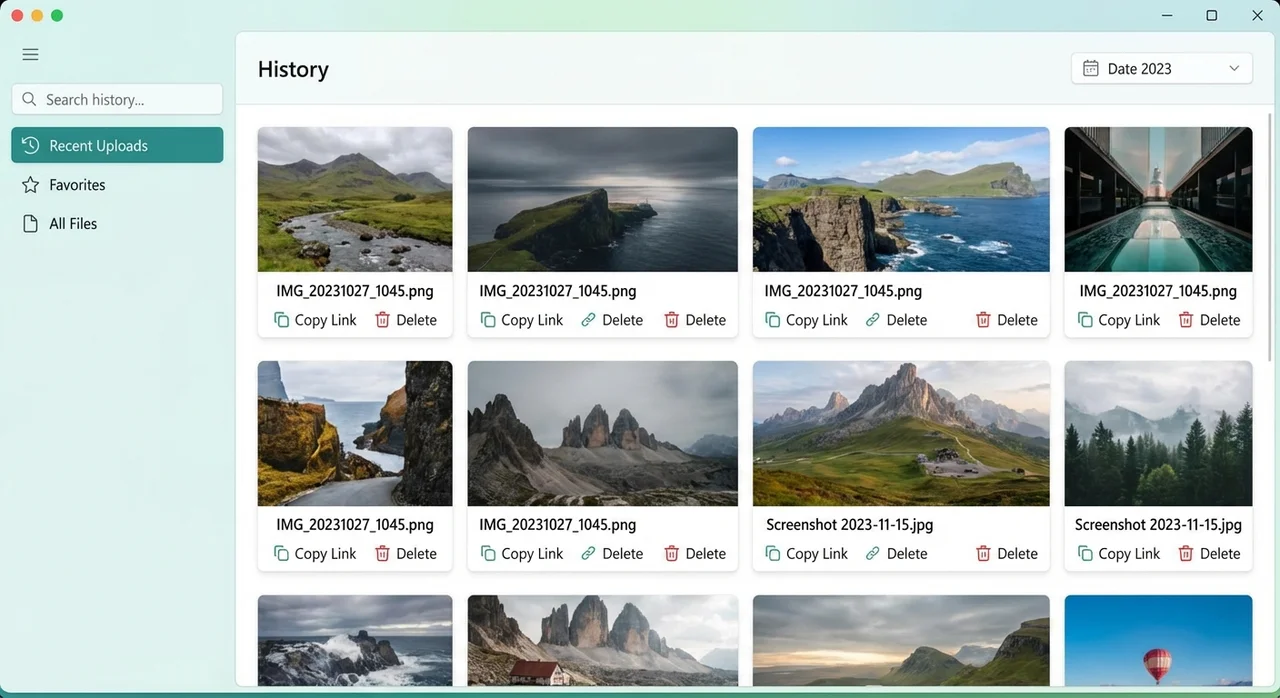
History manager
Access your complete upload history and manage all generated links in one place.
- Search uploads by filename or date
- Copy links in Markdown or direct URL format
- Bulk clean up old uploads
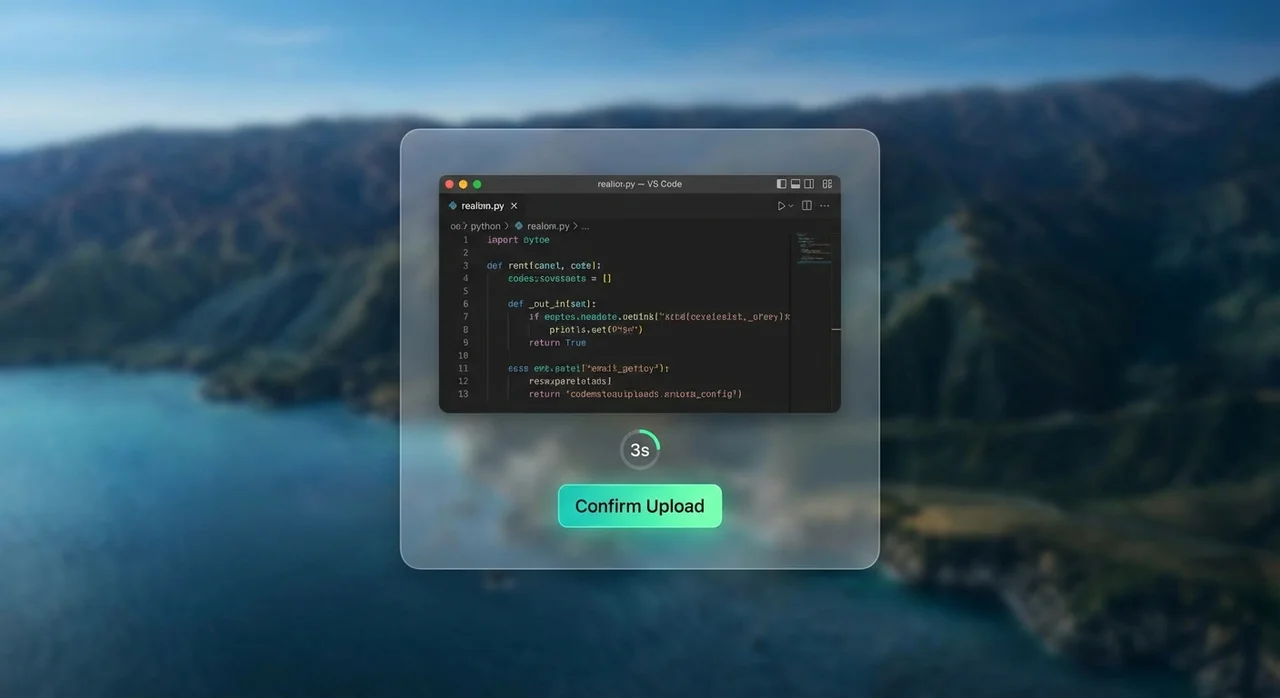
Floating preview window
Preview an image before upload with countdown controls for quick confirm or cancel.
- Preview image before generating a link
- 3-second auto-upload timer
- One-click cancel
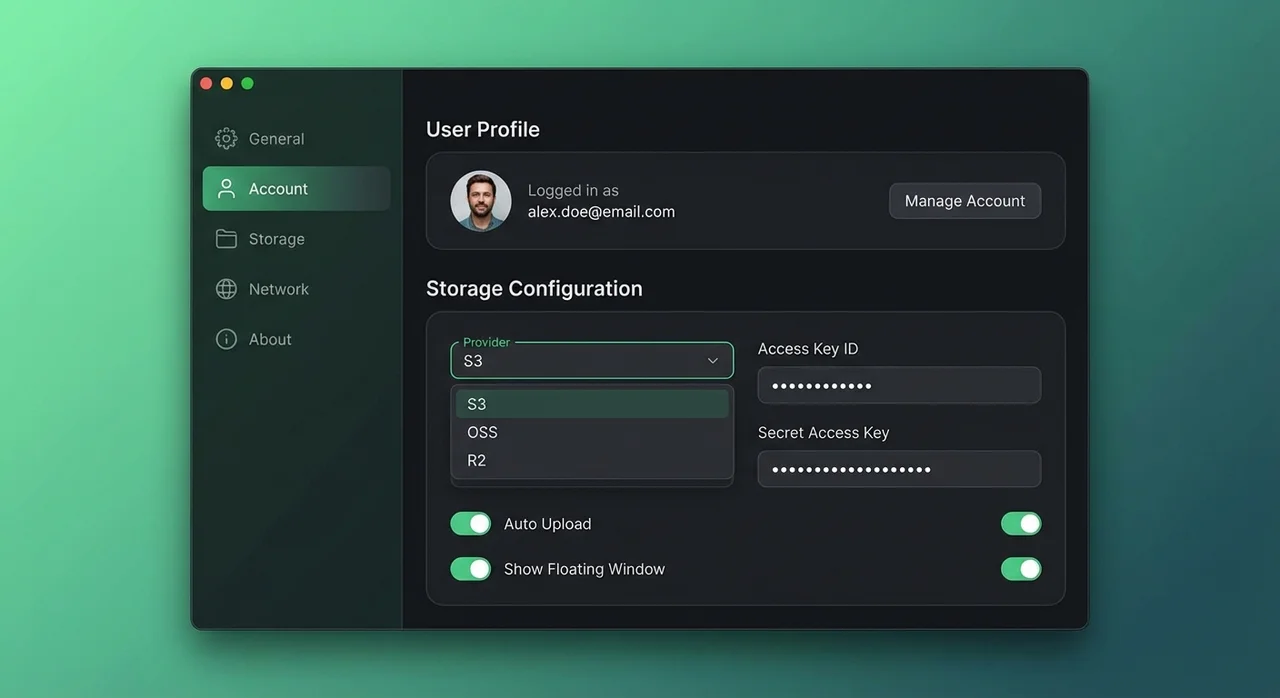
Advanced storage settings
Configure custom storage (S3, R2, OSS, COS) and tune upload behavior for your workflow.
- Support for AWS S3, Cloudflare R2, Aliyun OSS, and COS
- Auto-start client on system login
- Customizable upload shortcuts
Automatic folder organization
Auto-organize uploads into folders and keep storage clean with naming rules.
- Organize by year/month automatically
- Custom filename patterns (for example, date-time)
- Keep your storage bucket tidy with zero manual work
Built for real image workflows
Ship image links faster with secure uploads, copy-ready formats, and desktop + web sync.
Free upload quota: 30 → 1,000/200
Anonymous use starts with 30 images. Registration raises the total quota to 1,000 for the first 2,000 accounts, or 200 normally. The anonymous allowance is included in that total. The +100 desktop sign-in bonus is planned for the client launch.
Automatic optimization
Images are optimized to AVIF when possible so your links stay fast and lightweight.
Secure by default
Uploaded image links are public: anyone with the URL can view them. Do not upload confidential images.
Upload history and file management
View uploaded images, copy links and manage files in the web dashboard.
Global delivery
Generated links are optimized for stable sharing and fast loading across regions.
Desktop and web together
The desktop client is not available for download yet. Clipboard monitoring and custom storage are planned desktop features. Use the online uploader today.
Image to Link FAQ
QHow do I turn an image into a direct link?
Upload, drag, or paste an image. We process it, store it, and return a direct URL plus optional Markdown and BBCode formats.
QIs this image to link converter free?
Anonymous use starts with 30 images. Registration raises the total quota to 1,000 for the first 2,000 accounts, or 200 normally. The anonymous allowance is included in that total. The +100 desktop sign-in bonus is planned for the client launch.
QCan I host images on my own storage?
The desktop client is not available for download yet. Clipboard monitoring and custom storage are planned desktop features. Use the online uploader today.
QIs it safe to upload screenshots and docs images?
Uploaded image links are public: anyone with the URL can view them. Do not upload confidential images.
Ready to generate direct image links faster?
Upload images or format Markdown online while the desktop client is in development.
The desktop client is not available for download yet. Clipboard monitoring and custom storage are planned desktop features. Use the online uploader today.